

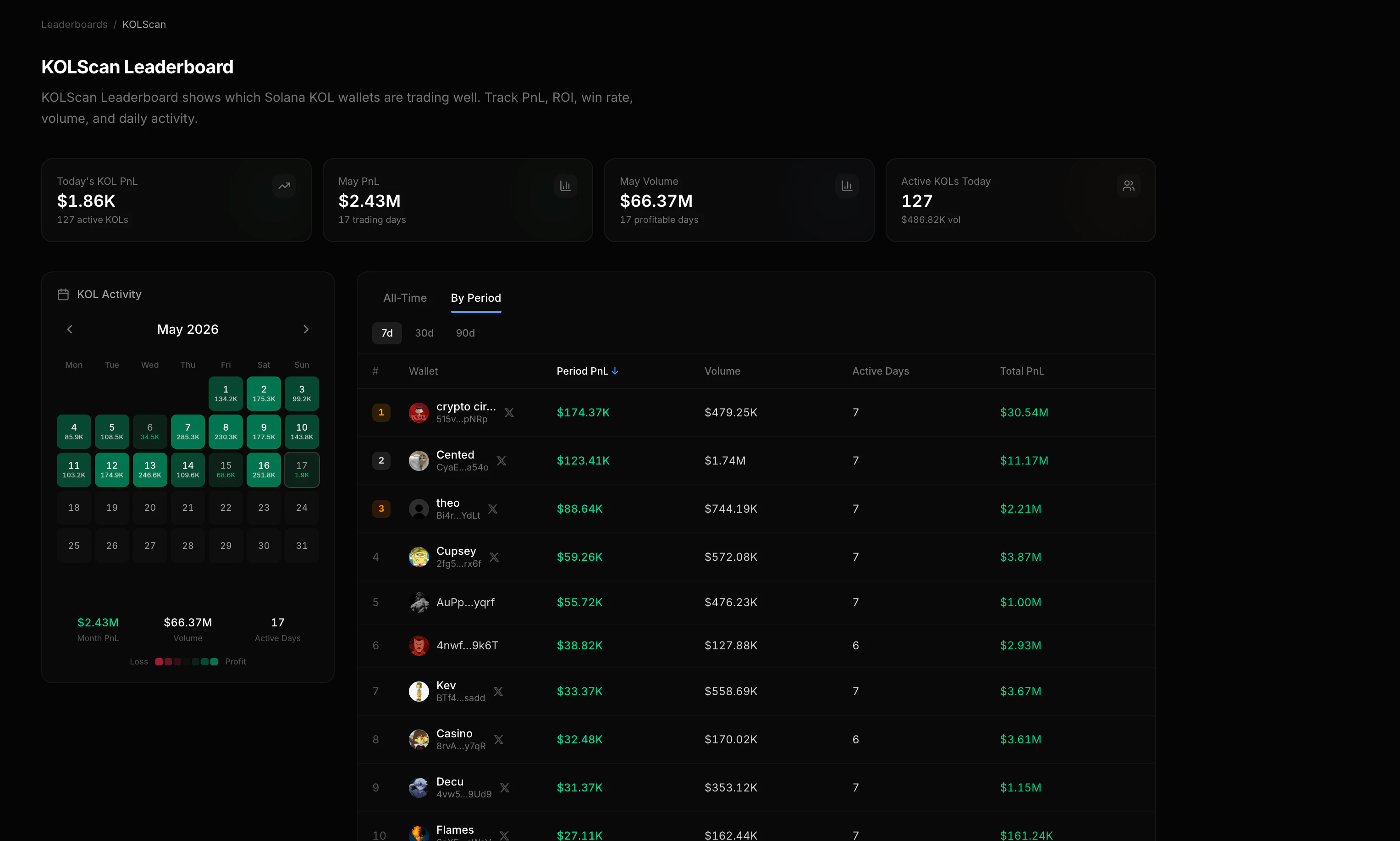
List all KOLs
The KOL leaderboard returns the tracked KOL roster with performance metrics and available identity labels.Sort options
Compare KOLs over a time period
Use the period leaderboard to compare wallets over the same window. Lifetime totals and recent returns answer different questions.period shortcuts: 1d, 7d, 14d, 30d, 90d.
KOL calendar (monthly heatmap)
The calendar endpoint returns daily aggregate performance for the tracked KOL set.Single-day KOL breakdown
The daily breakdown shows every tracked KOL’s activity for one specific day.Drill into a KOL’s wallet
Pass a leaderboard wallet address to the summary and position endpoints for the underlying holdings and returns:Follow new KOL trades
Use the whale and KOL trade feed for new swaps.GET /trades/kols loads recent activity; the transaction:kol Datastream room keeps it current. Use the leaderboard for performance comparisons and the trade feed for alerts.
Wallet PnL
Full guide for inspecting any wallet’s PnL, positions, and risk.
Trader rankings
KOL and top trader rankings with all sort and filter options.